
WordPress VIP
Learn how to integrate TollBit with WordPress VIP.
The integration supports TollBit's AI bot monitoring, management and monetization capabilities as well as seamless connections with MCP and NLWeb.
Follow these steps to set up an integration into our platform if you use WordPress VIP.
Allow TollBit's IP Addresses
RequiredTollBit must be able to reach your sites. We request your pages to set up your Agent Site. If our requests are blocked, challenged, or rate-limited, your Agent Site will not work correctly.
TollBit sends these requests from a fixed set of static IP addresses, published at https://tollbit.com/static-ips.txt. At the time of writing, the list is:
52.22.183.94
3.220.109.109
Always use the published list as the source of truth, and check it again if TollBit tells you it has changed.
Our requests use the user agent tollbot/1.0, so you may see it show up in your logs.
Make sure these addresses are allowed through every security layer that could block or challenge our requests. This applies to every hostname you onboard with us:
- Your CDN's WAF and firewall rules: IP allow and block lists, managed rules, and rate limiting.
- Bot protection, if enabled: make sure requests from these IPs are not blocked, challenged, or served alternate content.
- Any firewall or WAF in front of your origin servers, outside of your CDN.
If you are unsure whether your configuration blocks us, contact [email protected] and we will confirm from our side.
Steps for Analytics
TollBit can ingest http traffic logs from Wordpress VIP using WP Log Shopping.
Log in to the WordPress VIP Dashboard and select environment from the environment dropdown located at the upper left of the VIP Dashboard. Select "Log Shipping" under the "Logs" navigation bar on the left.
Now you can configure the Cloud Configuration. Note you'll need a storage bucket (S3, GCS, or Azure) with the correct IAM permissions (see tab for General Log Ingestion) to export the logs from the Log Shipping tool.
PREFER S3 UPDATE
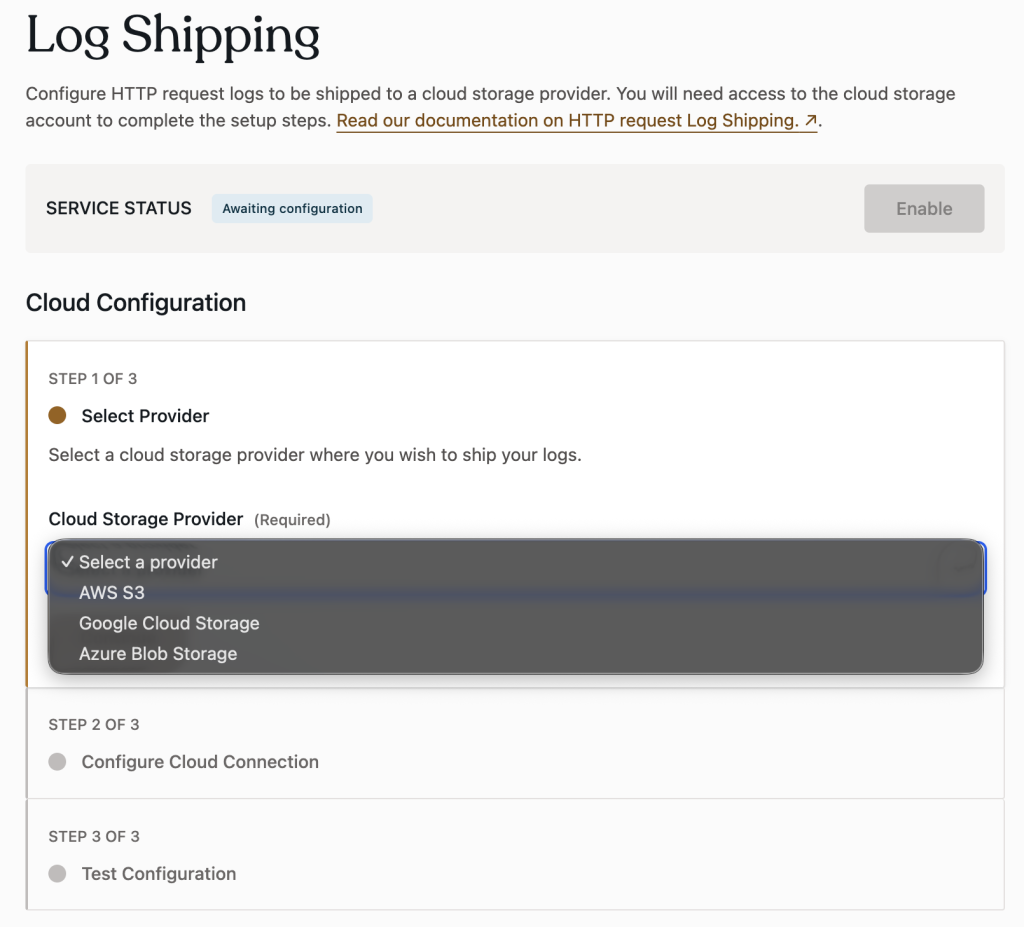
Please reach out to [email protected] when the storage bucket is provisioned with the log file data and the IAM policy.
Steps for Agent Site
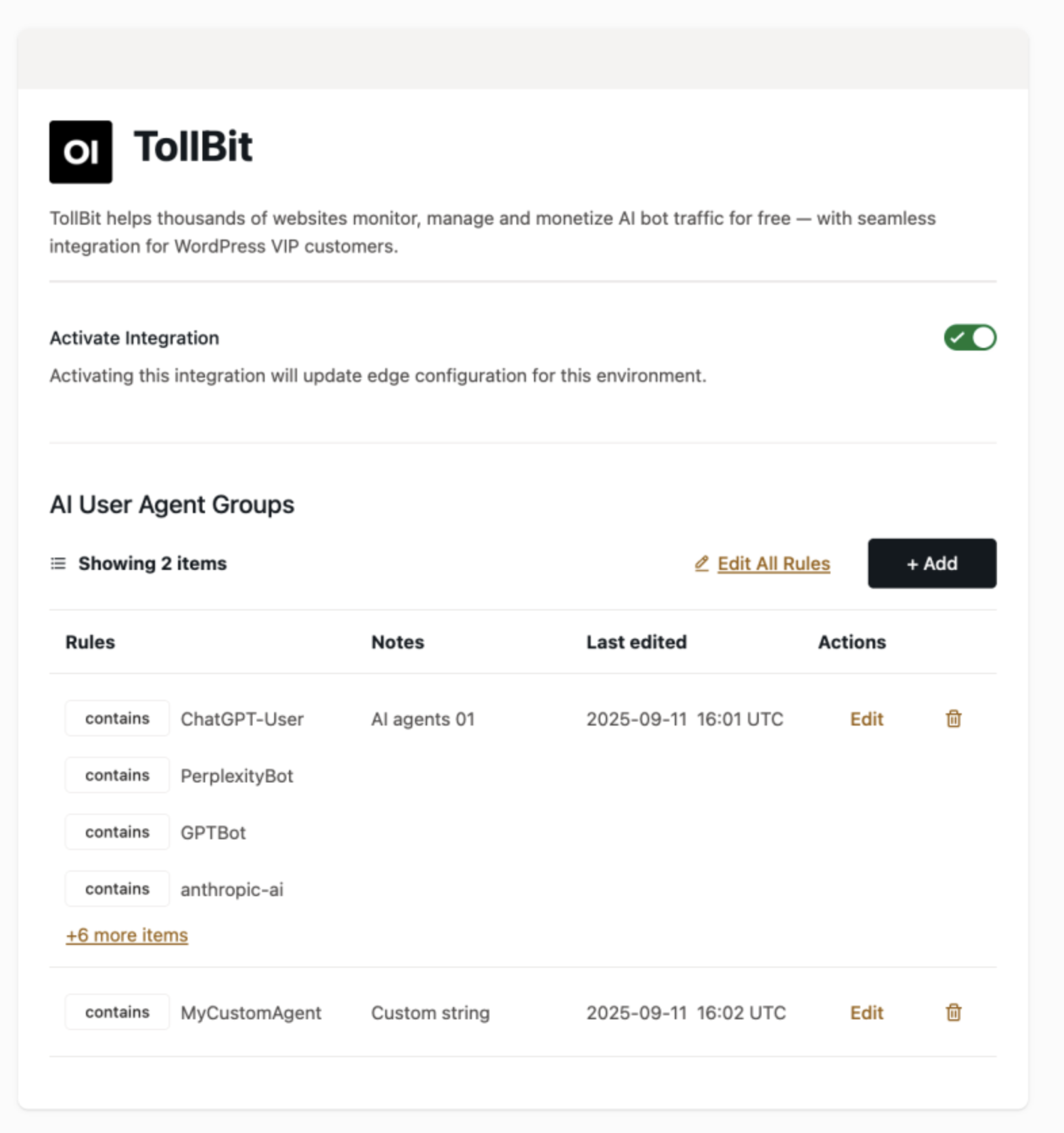
Log in to the WordPress VIP Dashboard and select the banner navigation menu item labeled “Integrations Center” at the top of the VIP Dashboard.
Select TollBit from the Integrations Center list to access the information page for TollBit. An overview of the Integration’s features and functionality is provided, as well as information about the publisher and links to support documentation.
To add the Integration to an organization, select the button labeled “+ Add to Organization” located at the top of the right-hand column.
If the current user has an Org admin role for more than one organization, the organization to which the Integration will be added must be selected from the auto-generated option dropdown after the button is selected.
Updated 4 days ago