
Arc XP
Learn how to integrate TollBit with Arc XP.
This integration supports TollBit's AI bot monitoring, management and monetization capabilities as well as seamless connections with MCP and NLWeb.
Follow these steps to set up an integration into our platform if you use Arc XP.
Steps for Analytics
Submit an ACS ticket to the ARC XP team to request the log ingestion for each site where you would like to enable for TollBit analytics.
ACS Ticket Example:
- Org: Your Org Name
- Sites: example1.com, example2.com
- Environment: Prod
- Change type: Add
- Sample %: 100
- Push Frequency: 30 seconds
- Integration type: Direct feed from CDN to TollBit
Once the ticket is submitted, the Arc XP team will configure then confirm the analytics integration is complete. Please wait up to 24 hours for the data to populate within the TollBit dashboard.
Steps for Agent Site
You can configure the edge integration within the Arc Delivery UI. Please follow these steps for each site you are looking to set up the bot redirect for.
- Open Delivery UI, and go to Edge Integrations for the chose site
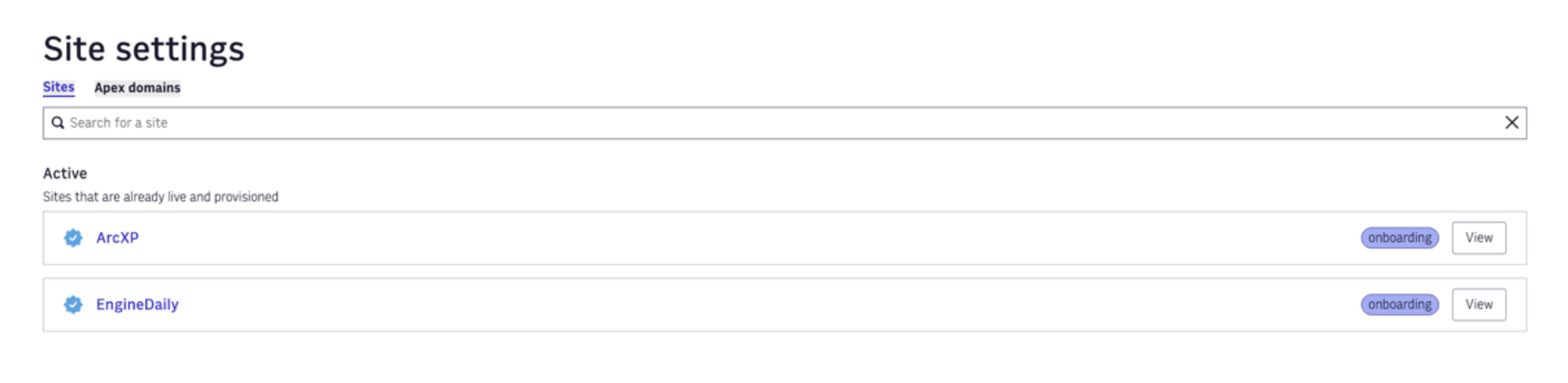
- Select View for the site you wish to configure, and then select Edge Integrations

- Scroll down to the TollBit integration and enable the toggle on the righthand side. Enabling the toggle (without adding any user agent string in the text bar) will allow all your AI bots to be sent to the TollBit Agent Site. This will allow you to manage the Agent Site or whitelists directly within TollBit UI.

Note: the Override list text entry is there if you don't want to allow any of the following AI agents to be sent to the TollBit subdomain. Please use commas to separate multiple user agents. The default list includes the following bots that you can override / not send to agent site:
chatgpt-user, perplexitybot, gptbot, anthropic-ai, ccbot, claude-web, claudebot, cohere-ai, youbot, diffbot, oai-searchbot, meta-externalagent, timpibot, amazonbot, bytespider, perplexity-user, shapbot, shap-user
Updated 22 days ago