
Datadome
Learn how to integrate TollBit with Datadome.
Follow these steps to set up an integration into our platform if you use Datadome. Note that enabling this integration will only allow you to forward specified bots/user agents to your tollbit subdomain. To enable analytics, please choose another integration (via another partner, API endpoint, or cloud storage bucket)
Allow TollBit's IP Addresses
RequiredTollBit must be able to reach your sites. We request your pages to set up your Agent Site. If our requests are blocked, challenged, or rate-limited, your Agent Site will not work correctly.
TollBit sends these requests from a fixed set of static IP addresses, published at https://tollbit.com/static-ips.txt. At the time of writing, the list is:
52.22.183.94
3.220.109.109
Always use the published list as the source of truth, and check it again if TollBit tells you it has changed.
Our requests use the user agent tollbot/1.0, so you may see it show up in your logs.
Make sure these addresses are allowed through every security layer that could block or challenge our requests. This applies to every hostname you onboard with us:
- Your CDN's WAF and firewall rules: IP allow and block lists, managed rules, and rate limiting.
- Bot protection, if enabled: make sure requests from these IPs are not blocked, challenged, or served alternate content.
- Any firewall or WAF in front of your origin servers, outside of your CDN.
If you are unsure whether your configuration blocks us, contact [email protected] and we will confirm from our side.
Steps for Analytics
Please see the 'General Route' tab to enable site-wide analytics.
Steps for Agent Site
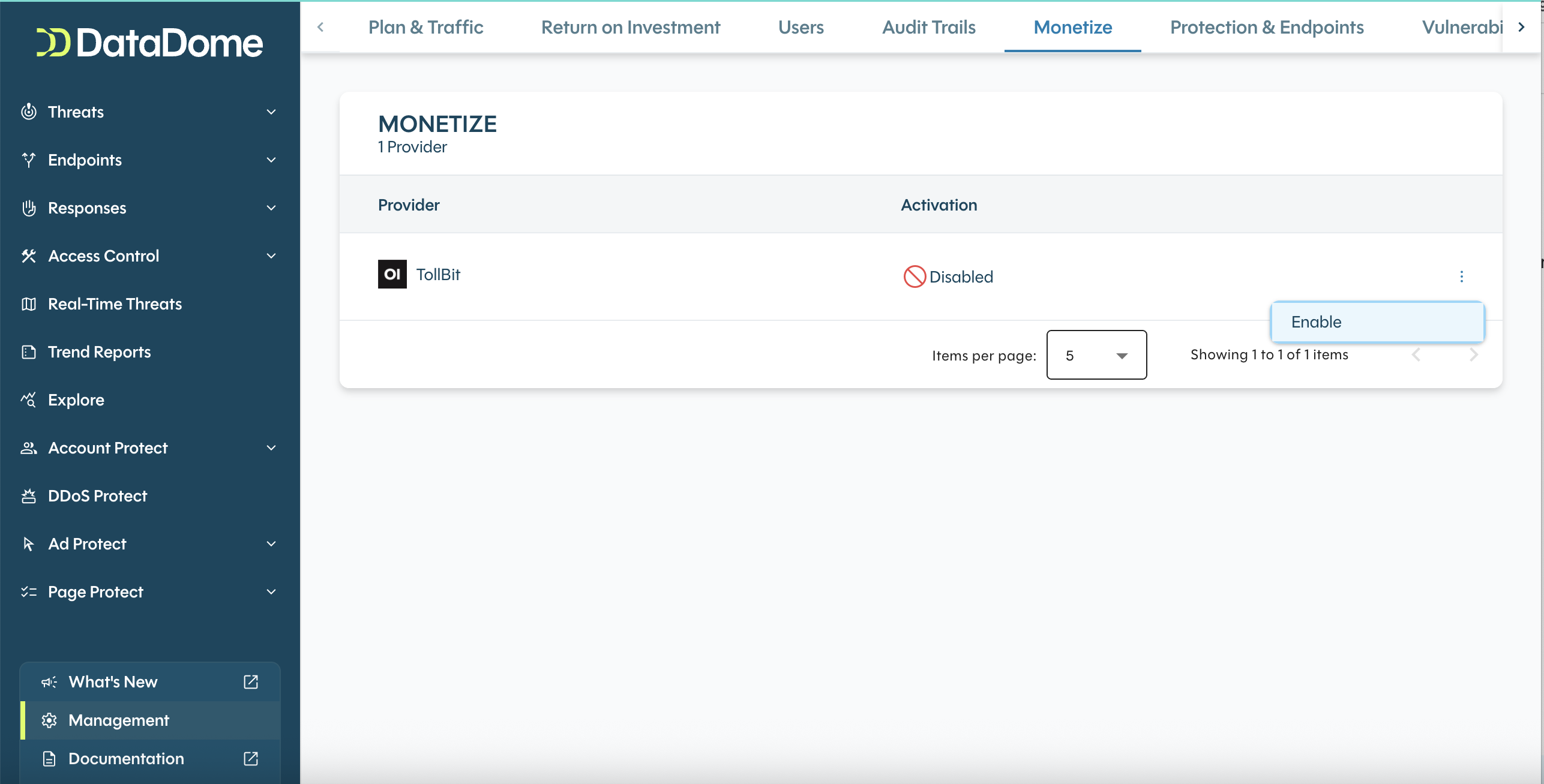
On your Datadome dashboard, open the Management tab in the bottom left of the navigation bar. Choose Monetize. Under TollBit, choose “Enable”.
Under Access Controls > AI agents, you can configure each agent from the default Allow option to the Monetize option. This would forward the bot over to your tollbit subdomain going forward.
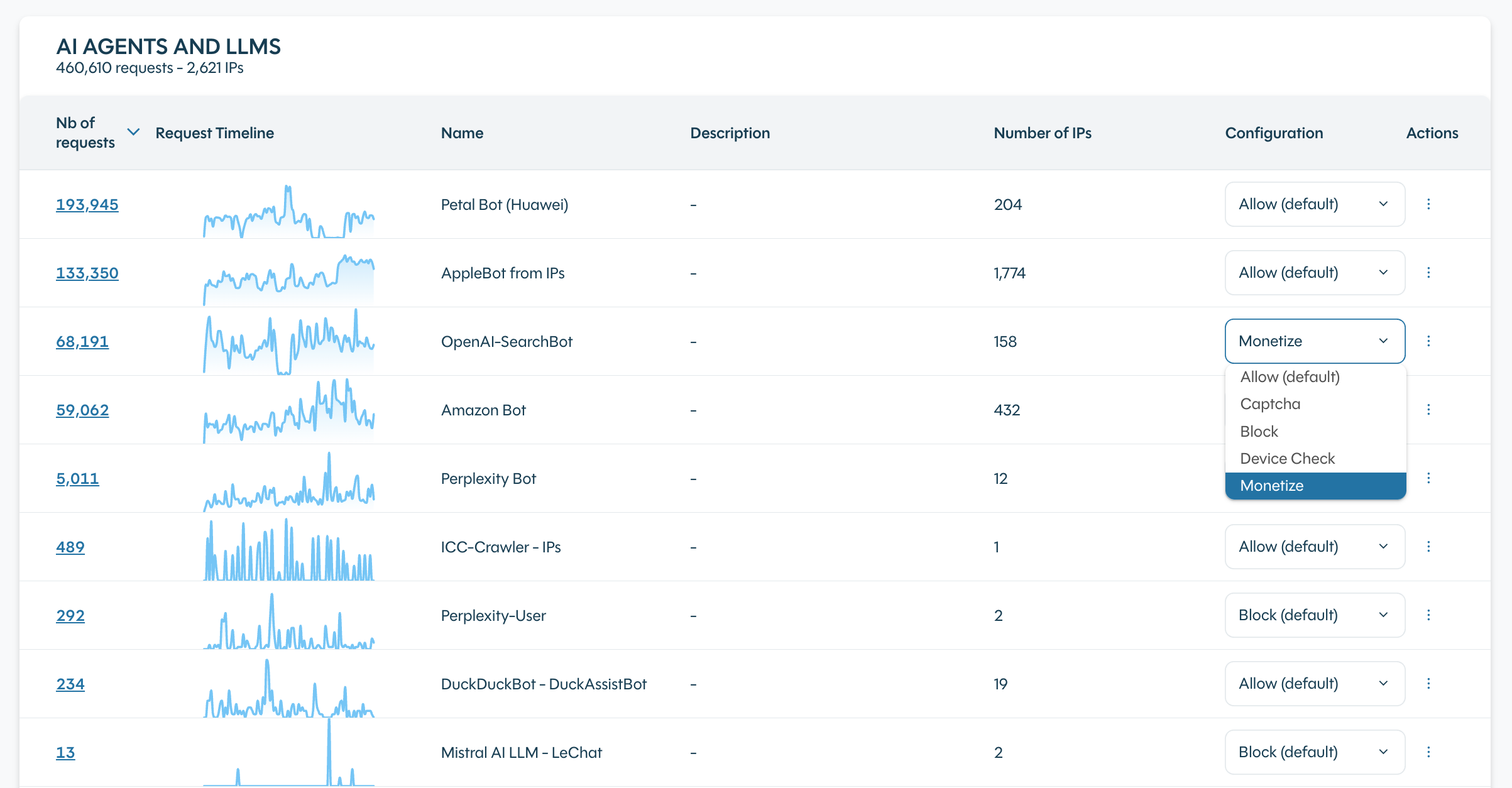
We recommend passing along the following user agents, categorized below by intent:
- AI Search: oai-searchbot, claude-searchbot, perplexitybot, amzn-searchbot, azureai-searchbot, meta-webindexer, youbot, bravebot, exasearchbot, exabot, linkupbot, kimi-searchbot, rednote-websearch-bot, iaskspider, desearchbot, gensparkbot, keenable, mojeekbot, ibou-search, iboubot, grokbot, agentnativesearchbot, aiwebindex, atevesearchsourceurldiscovery, isonsearchbot, mysearchbot, talarionsearchbot, aionbot, sofyabot, oai-adsbot
- RAG: chatgpt-user, claude-user, perplexity-user, mistralai-user, meta-externalfetcher, amzn-user, exauser, shap-user, cohere-ai, duckassistbot
- Advanced Agents: claude-code, cursor/, devin/, githubcopilotruntime, goose/, openclaw, hermes-agent, comet/, fellou, manus-user, grok-agent, lightpanda, cloudflarebrowserrenderingcrawler, claude/, perplexity/,
- Training: gptbot, claudebot, anthropic-ai, claude-web, ccbot, bytespider, meta-externalagent, amazonbot, ai2bot, diffbot, timpibot, reflectionbot, kimibot, shapbot
Updated 18 days ago