
Vercel
Learn how to integrate TollBit with Vercel.
Allow TollBit's IP Addresses
RequiredTollBit must be able to reach your sites. We request your pages to set up your Agent Site. If our requests are blocked, challenged, or rate-limited, your Agent Site will not work correctly.
TollBit sends these requests from a fixed set of static IP addresses, published at https://tollbit.com/static-ips.txt. At the time of writing, the list is:
52.22.183.94
3.220.109.109
Always use the published list as the source of truth, and check it again if TollBit tells you it has changed.
Our requests use the user agent tollbot/1.0, so you may see it show up in your logs.
Make sure these addresses are allowed through every security layer that could block or challenge our requests. This applies to every hostname you onboard with us:
- Your CDN's WAF and firewall rules: IP allow and block lists, managed rules, and rate limiting.
- Bot protection, if enabled: make sure requests from these IPs are not blocked, challenged, or served alternate content.
- Any firewall or WAF in front of your origin servers, outside of your CDN.
If you are unsure whether your configuration blocks us, contact [email protected] and we will confirm from our side.
Steps for Analytics
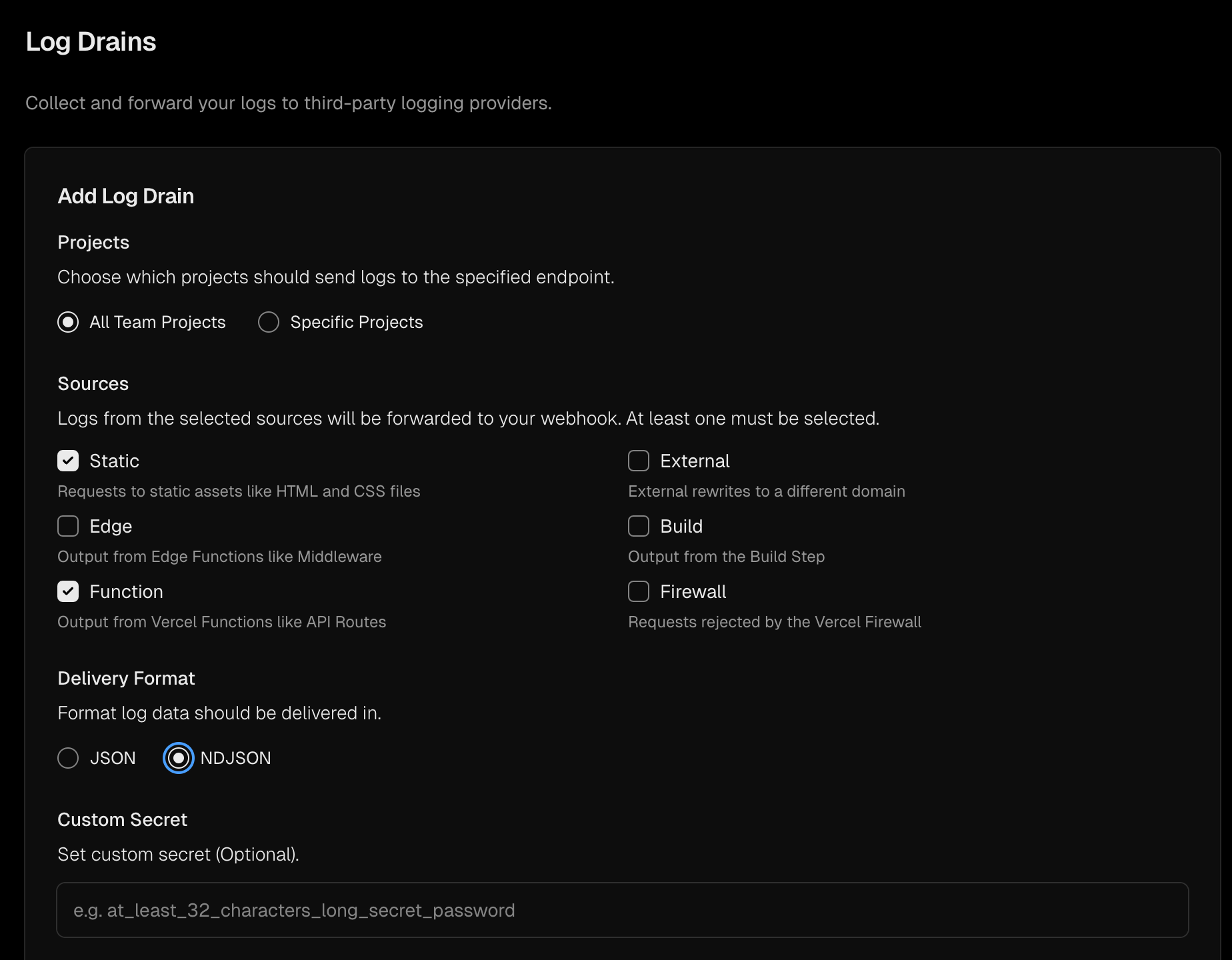
To forward logs from Vercel, follow the instructions for Log Drains here.
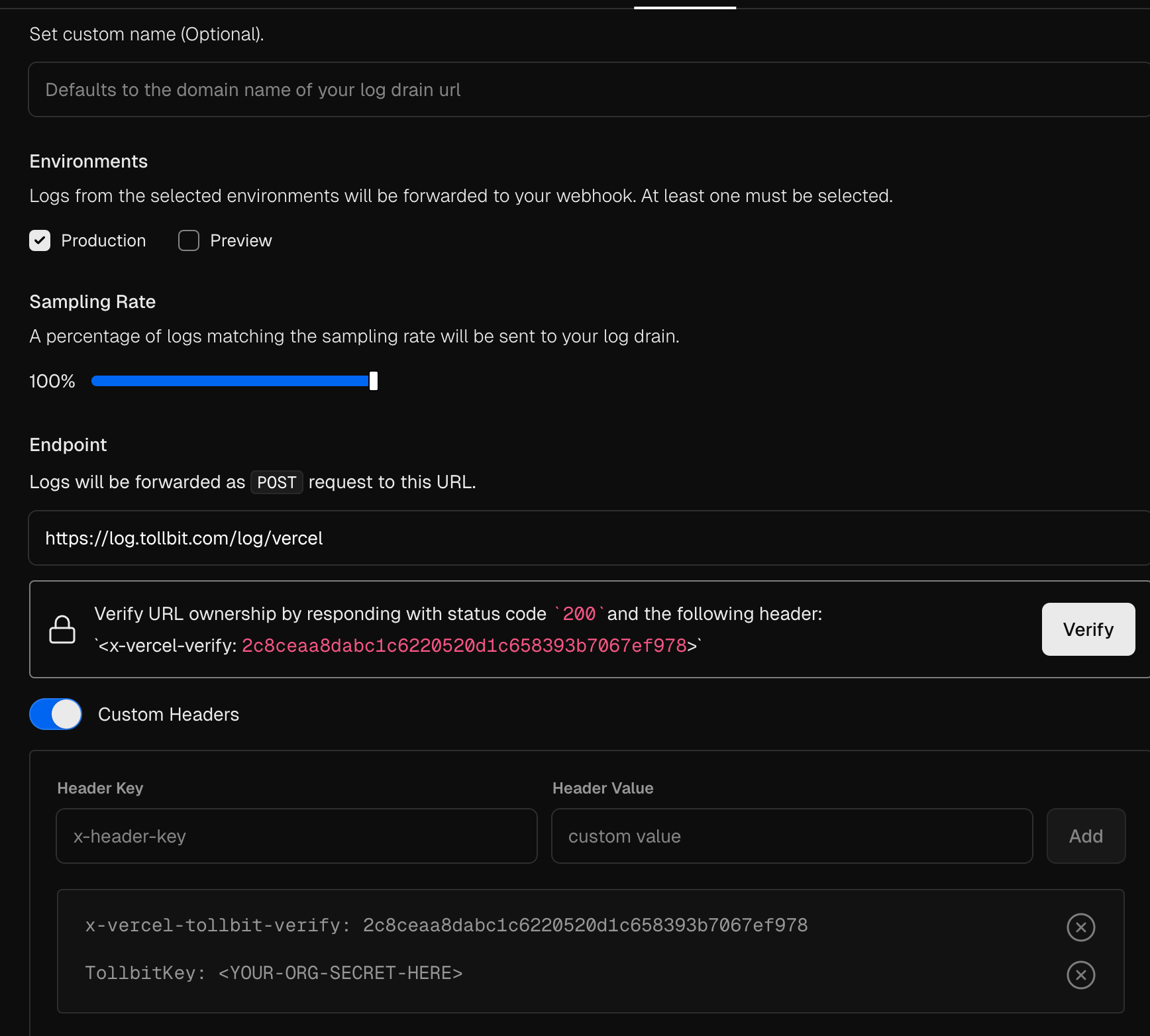
To properly authenticate and verify your logs, you should use the endpoint https://log.tollbit.com/log/vercel.
In order to verify the endpoint through Vercel, pass the header x-vercel-tollbit-verify as a custom header, along with your organization's secret key as the custom header TollbitKey. See the following screenshots for an example of the configuration. Once you have added these headers, you should
be able to click the Verify button and add your log drain.
Steps for Agent Site
To redirect bots to your tollbit subdomain you can use Vercel's Custom WAF rules.
Create a new rule. Set the rule to look at the User Agent and selected Matches expression. Copy the following regex as the expression to match. Feel free to modify to remove or block different bots.
(ChatGPT-User|PerplexityBot|GPTBot|anthropic-ai|CCBot|Claude-Web|ClaudeBot|Claude-User|Claude-SearchBot|cohere-ai|YouBot|Diffbot|OAI-SearchBot|meta-externalagent|Timpibot|Amazonbot|Bytespider|Perplexity-User|ShapBot|Shap-User)Set the rule to redirect to your tollbit subdomain by changing the Then option to Redirect and copy in your tollbit subdomain. The rule should look like this when you're finished
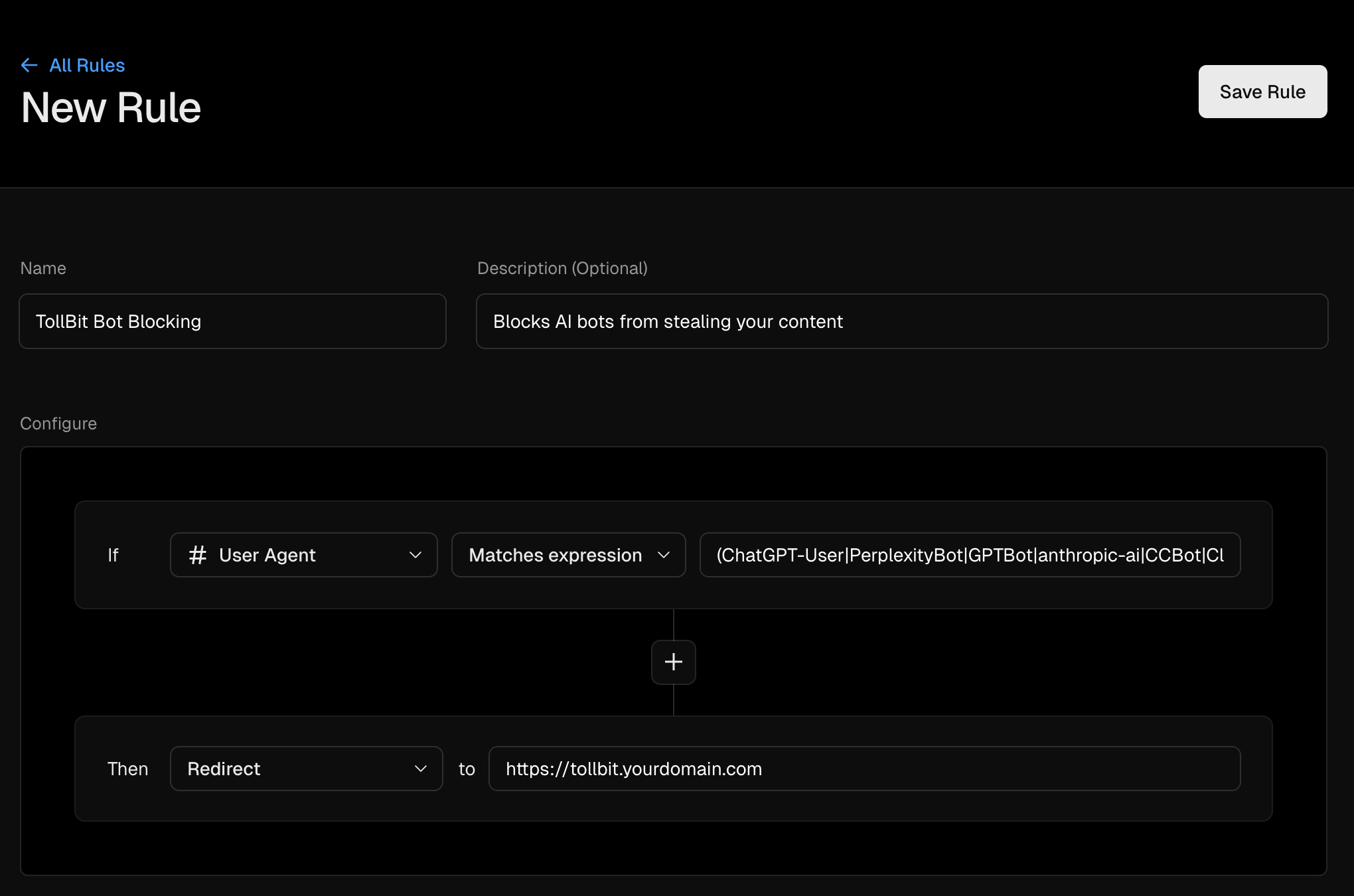
Finally, click save rule. The change won't go into effect until you publish the change to go live.
Updated 4 days ago