
Fastly for Brands
Set up TollBit analytics, Agent Site, and visitor routing from cited content for a brand site served through Fastly.
This guide covers setting up TollBit for a site served through Fastly: streaming logs to our platform for analytics, setting up Agent Site, and routing visitors from cited content. Everything is created in your own Fastly service: two hosts, one logging endpoint, and three dynamic VCL snippets.
Before You Start
Add and Verify Your Property
Before you begin this guide, add your property in the TollBit dashboard and verify that you own the domain. Follow the steps in Adding Your Property to create the TXT record and set up the tollbit subdomain in your DNS.
Allow TollBit's IP Addresses
RequiredTollBit must be able to reach your sites. We request your pages to set up your Agent Site and to power the Agent CMS view of your content. If our requests are blocked, challenged, or rate-limited, neither of these will work correctly.
TollBit sends these requests from a fixed set of static IP addresses, published at https://tollbit.com/static-ips.txt. At the time of writing, the list is:
52.22.183.94
3.220.109.109
Always use the published list as the source of truth, and check it again if TollBit tells you it has changed.
Our requests use the user agent tollbot/1.0, so you may see it show up in your logs.
Make sure these addresses are allowed through every security layer that could block or challenge our requests. This applies to every hostname you onboard with us:
- Fastly: ACLs, rate limiting, the Next-Gen WAF, and any custom VCL that blocks or challenges requests.
- Any firewall or WAF in front of your origin servers, outside of Fastly.
If you are unsure whether your configuration blocks us, contact [email protected] and we will confirm from our side.
Clone Your Active Version
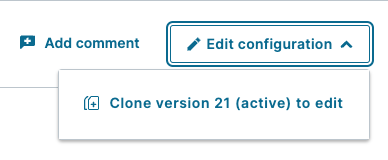
Go to the Deliver tab and select the service for your site. Click Edit configuration and choose to clone your current active version. This saves a new version as a draft, and lets you roll back if necessary. Make all of the changes in this guide on that draft, then activate it once at the end.
Test Before ProductionThe snippets below change how requests are routed at the edge. Where possible, apply them to a staging service first and confirm the results with the test requests in Verifying the Setup before activating them on the service that serves your live traffic.
Existing VCLThe snippets here are written for a service with no other request routing logic. They use Fastly's
restart, so if your service already uses restarts or shielding, or has VCL that changes the backend or theHostheader, contact [email protected] before activating and we will work through it with you.
Steps for Analytics
Analytics is powered by a log streaming endpoint on your own Fastly service.
Create the Logging Endpoint
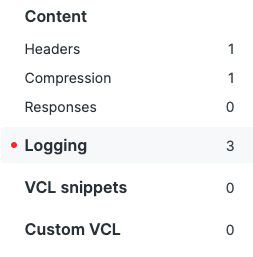
In your draft version, scroll down the sidebar to Logging and click Create Endpoint.
Find the HTTPS logging endpoint and click Create endpoint.

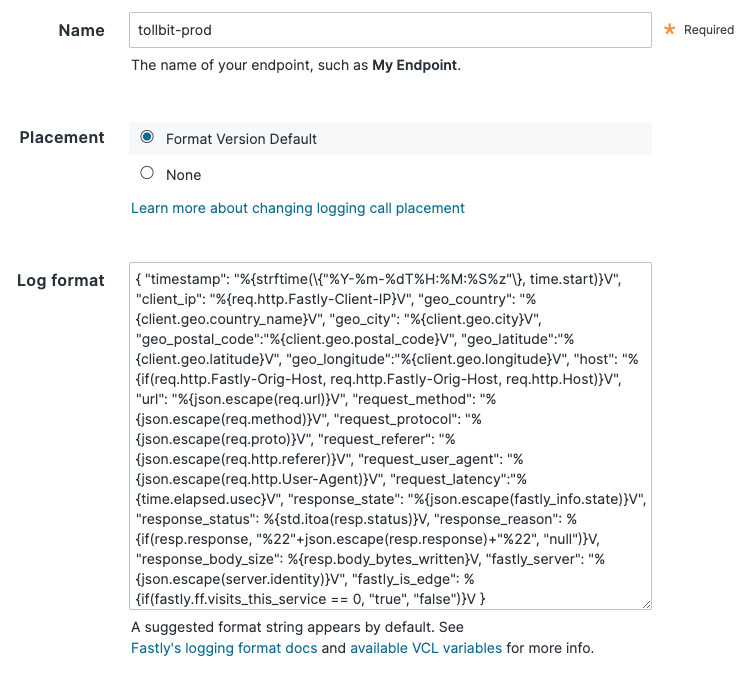
Set the name to anything descriptive, such as tollbit-prod, and keep the placement option as the default. Make sure your log format is exactly as follows, without extra trailing spaces or newlines:
{ "timestamp": "%{strftime(\{"%Y-%m-%dT%H:%M:%S%z"\}, time.start)}V", "ip_address": "%{req.http.Fastly-Client-IP}V", "geo_country": "%{client.geo.country_name}V", "geo_city": "%{client.geo.city}V", "geo_postal_code":"%{client.geo.postal_code}V", "geo_latitude":"%{client.geo.latitude}V", "geo_longitude":"%{client.geo.longitude}V", "host": "%{if(req.http.Fastly-Orig-Host, req.http.Fastly-Orig-Host, req.http.Host)}V", "url": "%{json.escape(req.url)}V", "request_method": "%{json.escape(req.method)}V", "request_protocol": "%{json.escape(req.proto)}V", "request_referer": "%{json.escape(req.http.referer)}V", "request_user_agent": "%{json.escape(req.http.User-Agent)}V", "request_latency":"%{time.elapsed.usec}V", "response_state": "%{json.escape(fastly_info.state)}V", "response_status": %{std.itoa(resp.status)}V, "response_reason": %{if(resp.response, "%22"+json.escape(resp.response)+"%22", "null")}V, "response_body_size": %{resp.body_bytes_written}V, "fastly_server": "%{json.escape(server.identity)}V", "fastly_is_edge": %{if(fastly.ff.visits_this_service == 0, "true", "false")}V, "signature": "%{json.escape(req.http.signature)}V", "signature_agent": "%{json.escape(req.http.signature-agent)}V", "signature_input": "%{json.escape(req.http.signature-input)}V" }Set the URL to https://log.tollbit.com/log.
Authenticate Your Logs
Open Advanced options and set Custom header name to TollbitKey. Set Custom header value to the secret key from the API key tab of your TollBit portal, with no trailing spaces. Keep all the other settings as default, scroll to the bottom, and save.
NoteIf the
TollbitKeyheader is missing or wrong, your logs are rejected and no analytics data appears. If your analytics charts stay empty, check this header first.
Steps for Agent Site and Visitor Routing
Agent Site and routing visitors from cited content are set up together. Both use the same two screens in Fastly, Origins and VCL snippets, so you add both hosts in one visit and all three snippets in the next.
Reference ImplementationThe setup below, including the hosts and VCL snippets, is a reference implementation. If your site already has routing, caching or security rules at the edge, you may need to adapt it to fit. However you set it up, it should:
- Add your
tollbitsubdomain as a second origin.- Send requests from AI agents to that origin, and all other requests to your existing origin.
- Serve
GETandHEADrequests from your existing origin instead if your Agent Site errors or does not respond in time.- When your origin returns a
404to a visitor, check with TollBit whether a destination is configured for that URL, and serve your own error page if not.If you are unsure how this fits with your configuration, contact [email protected].
How It Works
Agent Site. AI agents that request your site are served from your Agent Site on your tollbit subdomain, while visitors continue to reach your own origin. A snippet matches the User-Agent header and sends those requests through the tollbit_origin host.
If your Agent Site cannot serve a GET or HEAD request, Fastly serves it from your origin instead, the same way a visitor's request is served. This happens when the Agent Site responds with a 5xx status, takes longer than ten seconds to respond, or cannot be reached. Other requests from AI agents, such as POST, are always sent to your Agent Site.
Routing visitors from cited content. Content published through the Agent Site CMS lives on your tollbit subdomain and is served to AI agents. When an agent cites one of these pages in an answer, the reader can click that citation to visit your site. Since the page was published for agents, the URL may not exist on your main site. This setup lets TollBit route these visitors to a destination that you configure, such as your home page or the published page itself.
Visitor routing only applies to URLs that your site has no page for, so existing pages and normal traffic are not affected. If TollBit has nothing configured for a URL, or TollBit cannot be reached, your site serves its own error page, exactly as it does today.
- A visitor requests a URL and your origin responds with a
404. - Fastly sends the same request, with the same path and query string, to the TollBit fallback origin,
fallback.tollbit.com, through thetollbit_fallback_originhost. Your site's hostname is sent in theX-Tollbit-Hostheader, which tells TollBit which site the URL belongs to. Requests without it receive a400. - If TollBit has a destination configured, it responds with a redirect, either to that destination or to the published page on your
tollbitsubdomain, and the visitor follows it. - If TollBit responds with a
404, times out, or fails in any way, Fastly requests the URL from your origin again and your origin's own error page is served.
TollBit is only consulted for 404 responses to GET and HEAD requests from visitors, so no other request does extra work. Requests from AI agents that were routed to your Agent Site are excluded.
Add the Hosts
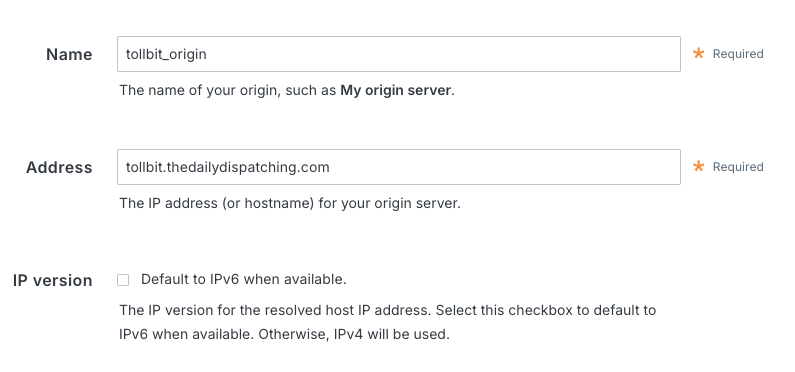
Your tollbit subdomain is set up as part of onboarding your site to the TollBit platform, so complete that first. In your draft version, go to Origins in the sidebar and create two hosts, one with your tollbit subdomain as the address and one with fallback.tollbit.com.
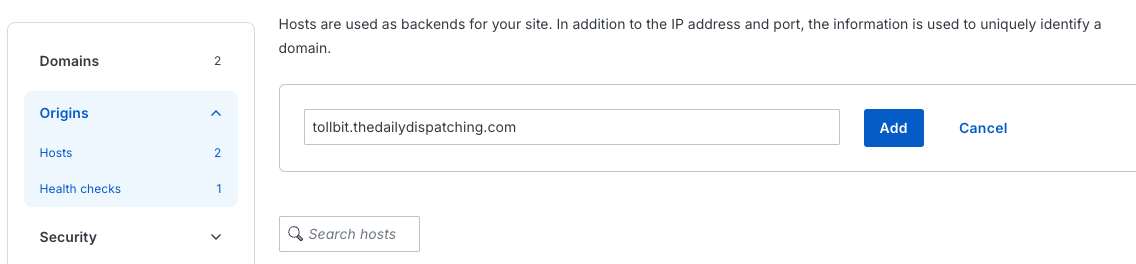
You may see a warning that these hosts are unused. That is expected. The snippets in the next step are what send requests to them.
Once a host has been added, click the pencil icon next to it to edit it. Set the following on each host, then scroll down and click Update to save. The names must match exactly, because the snippets refer to the hosts by name.
| Setting | Agent Site origin | Fallback origin |
|---|---|---|
| Address | Your TollBit subdomain, e.g. tollbit.example.com | fallback.tollbit.com |
| Name | tollbit_origin | tollbit_fallback_origin |
| TLS | Enabled, port 443 | Enabled, port 443 |
| Certificate hostname and SNI hostname | Your TollBit subdomain | fallback.tollbit.com |
| Auto load balance | No | No |
| First byte timeout | 10000 milliseconds | 2000 milliseconds |
Auto load balance is set to No so that only the snippets send requests to these hosts. The timeout on the Agent Site origin decides how long Fastly waits for your Agent Site before serving the request from your own origin instead. The shorter timeout on the fallback origin keeps a slow response from TollBit from holding up your own error page.
Add the VCL Snippets
Go to VCL snippets in the sidebar and create the three snippets below. Set the type of each one to Dynamic, and use these names and placements:
| Name | Placement | Used for |
|---|---|---|
tollbit_recv_dynamic_snippet | Within subroutine, recv | Agent Site |
tollbit_fallback_recv_snippet | Within subroutine, recv | Visitor routing |
tollbit_fallback_deliver_snippet | Within subroutine, deliver | Agent Site and visitor routing |
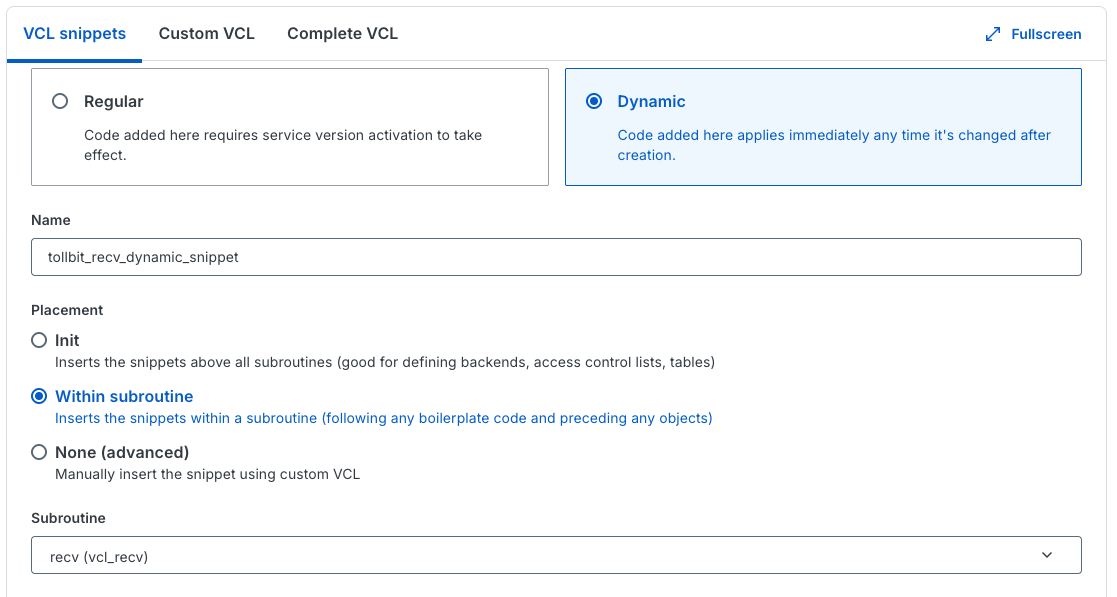
tollbit_recv_dynamic_snippet
if (req.restarts == 0) {
  unset req.http.X-Tollbit-Agent-Failover-Host;
  unset req.http.X-Tollbit-Host;
  unset req.http.X-Tollbit-Fallback-Host;
  unset req.http.X-Tollbit-Skip-Fallback;
}

# Your Agent Site could not serve this request: restore your site's hostname so
# the request is served by your origin.
if (req.http.X-Tollbit-Agent-Failover-Host) {
  set req.http.host = req.http.X-Tollbit-Agent-Failover-Host;
} elsif (req.http.user-agent ~ "(?i)agentnativesearchbot|ai2bot|aionbot|aiwebindex|amazonbot|amzn-searchbot|amzn-user|anthropic-ai|atevesearchsourceurldiscovery|azureai-searchbot|bravebot|bytespider|ccbot|chatgpt-user|claude-code|claude-searchbot|claude-user|claude-web|claude/|claudebot|cloudflarebrowserrenderingcrawler|cohere-ai|comet/|cursor/|desearchbot|devin/|diffbot|duckassistbot|exabot|exasearchbot|exauser|fellou|gensparkbot|githubcopilotruntime|goose/|gptbot|grok-agent|grokbot|hermes-agent|iaskspider|ibou-search|iboubot|isonsearchbot|keenable|kimi-searchbot|kimibot|lightpanda|linkupbot|manus-user|meta-externalagent|meta-externalfetcher|meta-webindexer|mistralai-user|mojeekbot|mysearchbot|oai-adsbot|oai-searchbot|openclaw|perplexity-user|perplexity/|perplexitybot|rednote-websearch-bot|reflectionbot|shap-user|shapbot|sofyabot|talarionsearchbot|timpibot|youbot") {
  set req.backend = F_tollbit_origin;
  set req.http.Fastly-Orig-Host = req.http.host;
  if (std.prefixof(req.http.host, "www.")) {
    set req.http.host = std.replace_prefix(req.http.host, "www.", "tollbit.");
  } else {
    set req.http.host = "tollbit." + req.http.host;
  }
  return(pass);
}
Edit the user agent list to control which AI agents are routed to your Agent Site.
tollbit_fallback_recv_snippet
if (req.restarts == 0) {
  unset req.http.X-Tollbit-Host;
  unset req.http.X-Tollbit-Fallback-Host;
  unset req.http.X-Tollbit-Skip-Fallback;
}

if (req.http.X-Tollbit-Fallback-Host && req.http.X-Tollbit-Skip-Fallback) {
  set req.http.host = req.http.X-Tollbit-Fallback-Host;
  unset req.http.X-Tollbit-Host;
} elsif (req.http.X-Tollbit-Fallback-Host) {
  set req.backend = F_tollbit_fallback_origin;
  set req.http.X-Tollbit-Host = req.http.X-Tollbit-Fallback-Host;
  set req.http.Fastly-Orig-Host = req.http.X-Tollbit-Fallback-Host;
  set req.http.host = "fallback.tollbit.com";
  return(pass);
}
tollbit_fallback_deliver_snippet
# Agent Site errored (5xx) or could not be reached on a GET/HEAD: restart and
# let the recv snippet send it to your origin instead.
if (resp.status >= 500 && req.restarts == 0 && (req.method == "GET" || req.method == "HEAD") && req.backend == F_tollbit_origin) {
  set req.http.X-Tollbit-Agent-Failover-Host = req.http.Fastly-Orig-Host;
  restart;
}

# Origin 404 on a GET/HEAD: restart and let the recv snippet retry it against
# the TollBit fallback. Bot traffic already forwarded to the tollbit origin
# is excluded.
if (resp.status == 404 && req.restarts == 0 && (req.method == "GET" || req.method == "HEAD") && req.backend != F_tollbit_origin) {
  set req.http.X-Tollbit-Fallback-Host = req.http.host;
  restart;
}

# The fallback had nothing configured (404) or errored (5xx): restart once
# more back to the default origin so its own error page is served.
if (resp.status >= 400 && req.restarts == 1 && req.http.X-Tollbit-Fallback-Host && !req.http.X-Tollbit-Skip-Fallback) {
  set req.http.X-Tollbit-Skip-Fallback = "1";
  restart;
}
The snippets use the X-Tollbit-Agent-Failover-Host, X-Tollbit-Fallback-Host and X-Tollbit-Skip-Fallback request headers to keep track of retries. They are removed from incoming requests, so a visitor cannot set them, and they are never included in responses to visitors.
Caching
Requests to the fallback origin are sent with pass, so Fastly does not cache TollBit's responses. Redirect responses from TollBit include Cache-Control: public, max-age=300, so a visitor's browser may reuse a redirect for up to five minutes. Keep this in mind when testing so a cached response is not mistaken for a misconfiguration.
Activate
Once the hosts, the logging endpoint, and the three snippets are in your draft version, click Activate. Keep in mind that if the version has other unpublished changes, this publishes those as well.
NoteOnce the snippets exist on your active version, later edits to a dynamic snippet's content take effect immediately. There is no draft and activate step for content changes, so you can update the user agent list without publishing a new version.
Verifying the Setup
Routing Visitors from Cited Content
Make these requests as a regular visitor, not with the user agent of an AI agent. Requests from AI agents are served from your Agent Site instead, so they do not receive the redirect. The commands below use curl's own user agent, which counts as a visitor.
Request an agent-only URL that has a configured destination and confirm you receive the redirect. Then request a URL your site has no page for, such as a made-up path, and confirm your site's normal error page is served with a 404 status.
# Expect a redirect status and a Location header
curl -sI https://www.example.com/agent-only-page

# Expect 404, with your site's own error page as the body
curl -s -o /dev/null -w "%{http_code}\n" https://www.example.com/made-up-path
Contact [email protected] to have us configure an agent-only test URL and destination for your property.
Analytics
Charts in your TollBit dashboard are updated once a day, so allow up to 24 hours after activating.
Updated about 13 hours ago