
Netacea
Learn how to implementat TollBit with Netacea
Allow TollBit's IP Addresses
RequiredTollBit must be able to reach your sites. We request your pages to set up your Agent Site. If our requests are blocked, challenged, or rate-limited, your Agent Site will not work correctly.
TollBit sends these requests from a fixed set of static IP addresses, published at https://tollbit.com/static-ips.txt. At the time of writing, the list is:
TollBit sends these requests from a fixed set of static IP addresses, published at https://tollbit.com/static-ips.txt. At the time of writing, the list is:
- 52.22.183.94
- 3.220.109.109
Always use the published list as the source of truth, and check it again if TollBit tells you it has changed.
Our requests use the user agent tollbot/1.0, so you may see it show up in your logs.
Make sure these addresses are allowed through every security layer that could block or challenge our requests. This applies to every hostname you onboard with us:
- WAF: the rules in your Web ACL, including IP set rules, rate-based rules, and managed rule groups such as Bot Control.
- Any firewall or WAF in front of your origin servers, including security groups and any protection outside of AWS.
If you are unsure whether your configuration blocks us, contact [email protected] and we will confirm from our side.
Steps for Analytics
Reach out to your Netacea Customer Sucess Manager. Let them know you'd like the TollBit analytics integration switched on, and they'll update your account with the right features to get started.
For enabling analytics specifically, please see the 'General Route' tab to enable site-wide analytics.
Steps for Agent Site
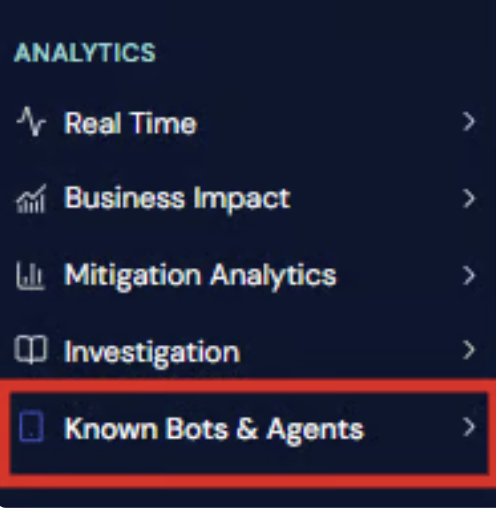
Go to the Known Bots LLMs dashboard within your Netacea portal.
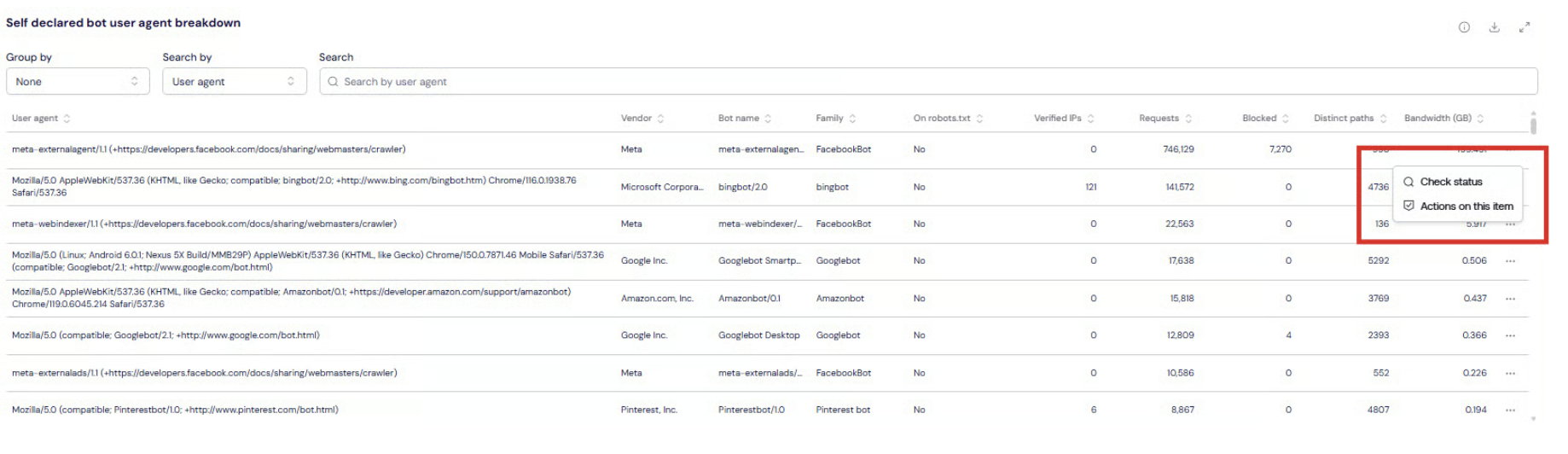
On the actions menu from the table you will have a Monetize option for each agent under the list.
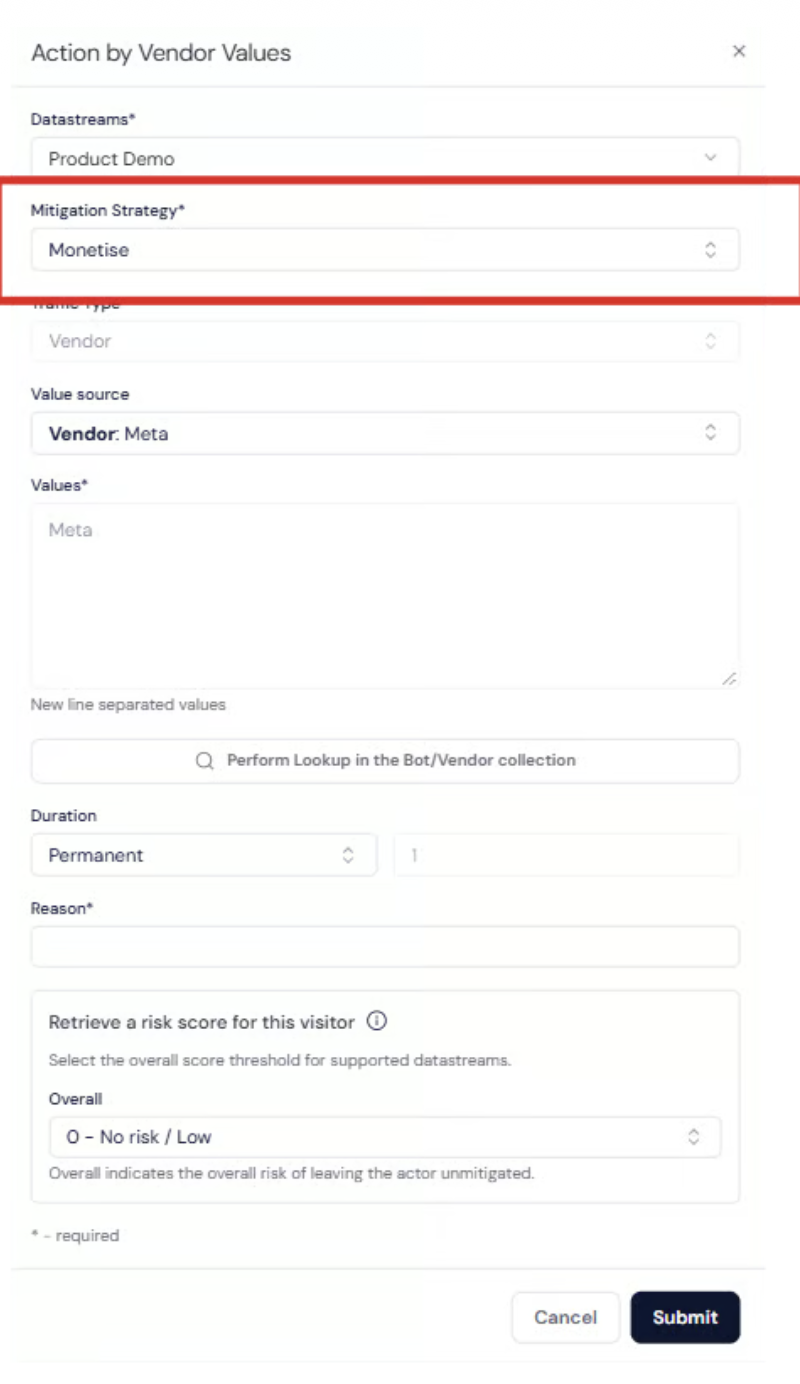
Once activated, Netacea will automatically apply the Monetize action to matching traffic and hand off to TollBit for licensing and content delivery.
We recommend passing along the following user agents, categorized below by intent:
- AI Search: oai-searchbot, claude-searchbot, perplexitybot, amzn-searchbot, azureai-searchbot, meta-webindexer, youbot, bravebot, exasearchbot, exabot, linkupbot, kimi-searchbot, rednote-websearch-bot, iaskspider, desearchbot, gensparkbot, keenable, mojeekbot, ibou-search, iboubot, grokbot, agentnativesearchbot, aiwebindex, atevesearchsourceurldiscovery, isonsearchbot, mysearchbot, talarionsearchbot, aionbot, sofyabot, oai-adsbot
- RAG: chatgpt-user, claude-user, perplexity-user, mistralai-user, meta-externalfetcher, amzn-user, exauser, shap-user, cohere-ai, duckassistbot
- Advanced Agents: claude-code, cursor/, devin/, githubcopilotruntime, goose/, openclaw, hermes-agent, comet/, fellou, manus-user, grok-agent, lightpanda, cloudflarebrowserrenderingcrawler, claude/, perplexity/,
- Training: gptbot, claudebot, anthropic-ai, claude-web, ccbot, bytespider, meta-externalagent, amazonbot, ai2bot, diffbot, timpibot, reflectionbot, kimibot, shapbot
Updated about 2 hours ago