
Microsoft (Azure, Front Door)
Learn how to integrate TollBit with Microsoft.
Allow TollBit's IP Addresses
RequiredTollBit must be able to reach your sites. We request your pages to set up your Agent Site. If our requests are blocked, challenged, or rate-limited, your Agent Site will not work correctly.
TollBit sends these requests from a fixed set of static IP addresses, published at https://tollbit.com/static-ips.txt. At the time of writing, the list is:
52.22.183.94
3.220.109.109
Always use the published list as the source of truth, and check it again if TollBit tells you it has changed.
Our requests use the user agent tollbot/1.0, so you may see it show up in your logs.
Make sure these addresses are allowed through every security layer that could block or challenge our requests. This applies to every hostname you onboard with us:
- Your CDN's WAF and firewall rules: IP allow and block lists, managed rules, and rate limiting.
- Bot protection, if enabled: make sure requests from these IPs are not blocked, challenged, or served alternate content.
- Any firewall or WAF in front of your origin servers, outside of your CDN.
If you are unsure whether your configuration blocks us, contact [email protected] and we will confirm from our side.
Steps for Analytics
To set up logging for your Azure front door, first navigate to your specific Front Door instance.
On the left sidebar, open the dropdown for "Monitoring" and select the "Diagnostics settings" tab.
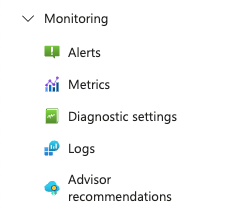
This will take you to a screen where you can create a new Diagnostics Setting.
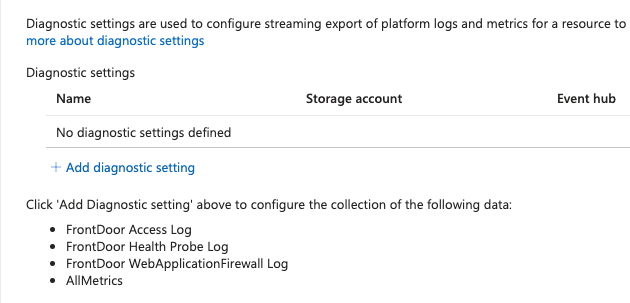
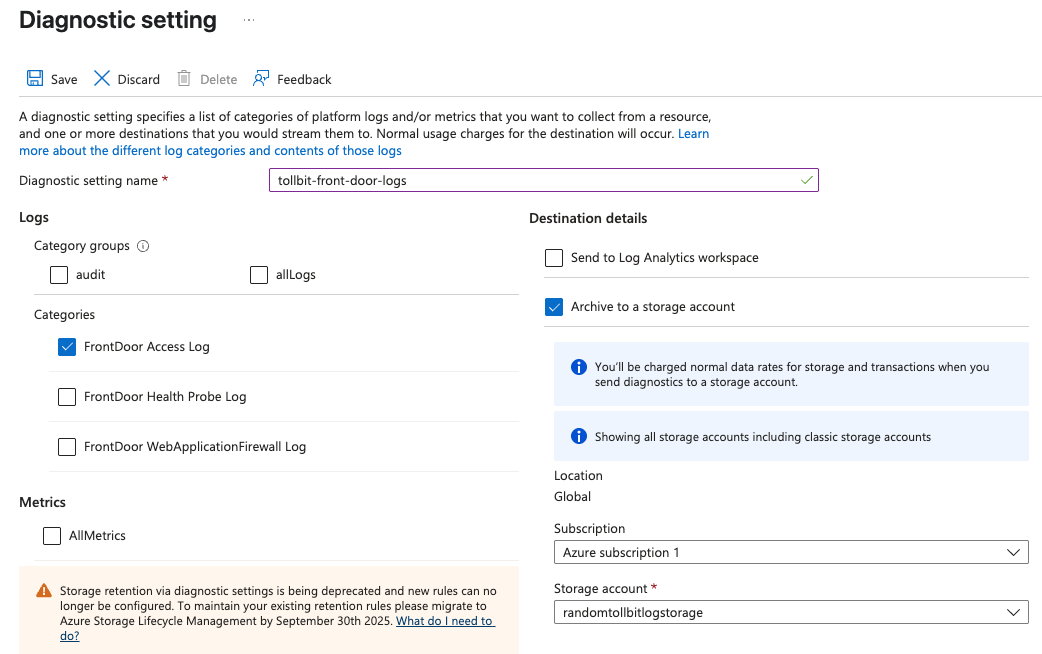
Go ahead and create a new setting. Within, the settings page, selectthe options that will
send all access logs to a Storage account. If you don't already have a storage bucket in place
for these logs, please create one.
Once you've confirmed that logs are setting stored in your chosen bucket, please reach out to
[email protected] to coordinate with our engineering team on the rest of the TollBit
Analytics setup. To finalize your setup, we will need access to the directory in your Storage bucket where your logs are stored, along with the pattern for how the logs are stored for instance /service/logs/2024/12/04/log-file.
Steps for Agent Site
Azure's CDN lets you easily set up redirection rules for different bots. We'll explore how to do this
in the standard tier Front Door as well as the premium tier.
Standard
Navigate to your Front Door instance and click the dropdown for "Settings" on the left navbar.
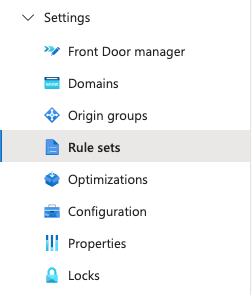
You can create a new rule set using the button at the top.
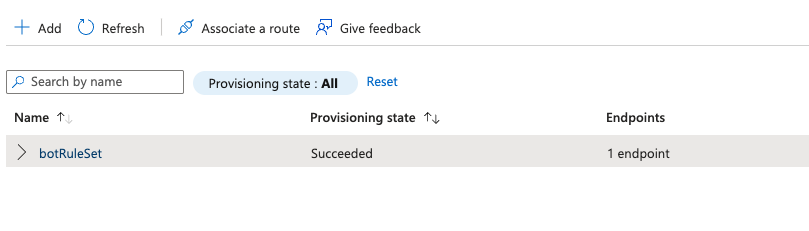
Then you can add rules for the bots you want to forward off to the TollBit Bot Paywall. We
recommend the following list:
chatgpt-user, perplexitybot, gptbot, anthropic-ai, ccbot, claude-web, claudebot, cohere-ai, youbot, diffbot, oai-searchbot, meta-externalagent, timpibot, amazonbot, bytespider, perplexity-user, shapbot, shap-userYou can add or remove from this as befits your bot strategy. We can also keep these lowercased, since in the rules we are comparing the lowercased values.
Click save to save these changes.
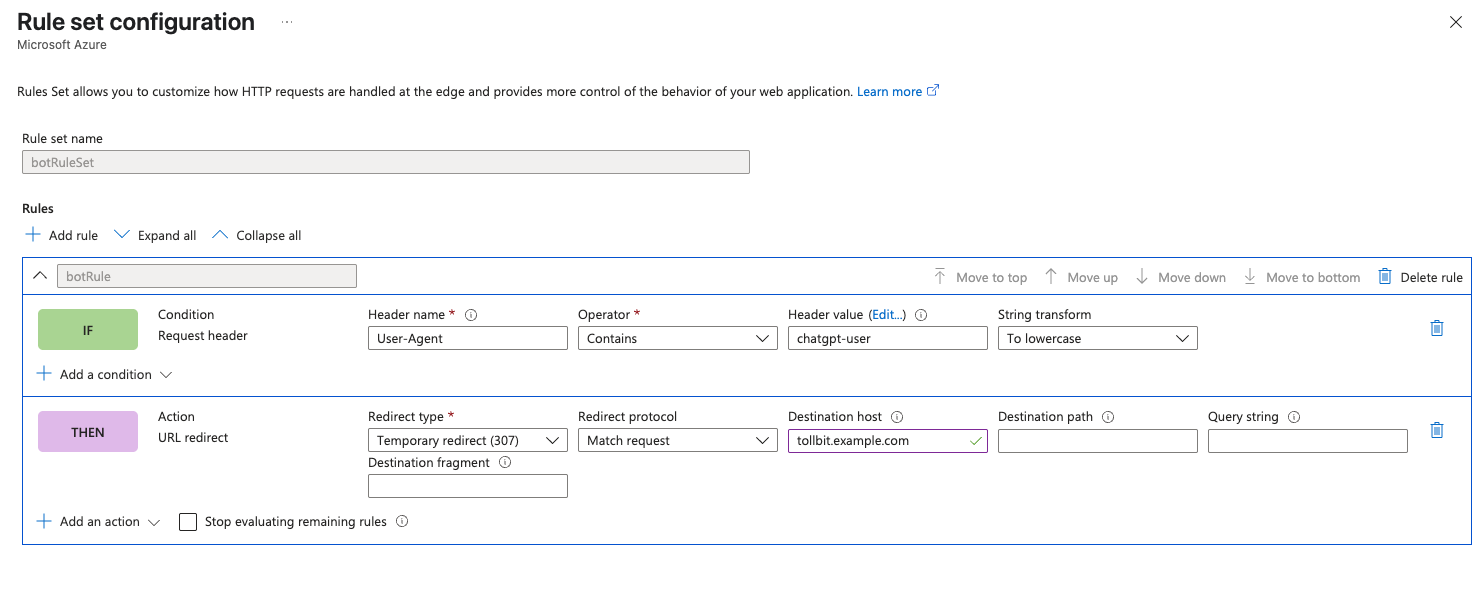
Once you've created this ruleset, you need to associate your Front Door route to it.
Click the 3 horizontal dots to the right of the rule set, and click "Associate a route".
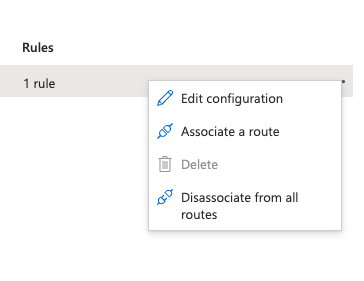
Choose the route to the relevant Front Door instance and go through the flow of associating this route.
Premium
If you have a Premium tier Front Door instance, contact our team at [email protected] and we can
connect with you and evaluate the best path forward.
Updated 4 days ago