
Adding a Property
Learn how to add your property to the TollBit platform.
Adding a Property
When you first log in to your org, you will be taken to the property overview page. If you don't have any properties configured, you will see this form that you can use to create your property. Create your property by giving it a name and inputting the domain name, i.e. example.com for your property.
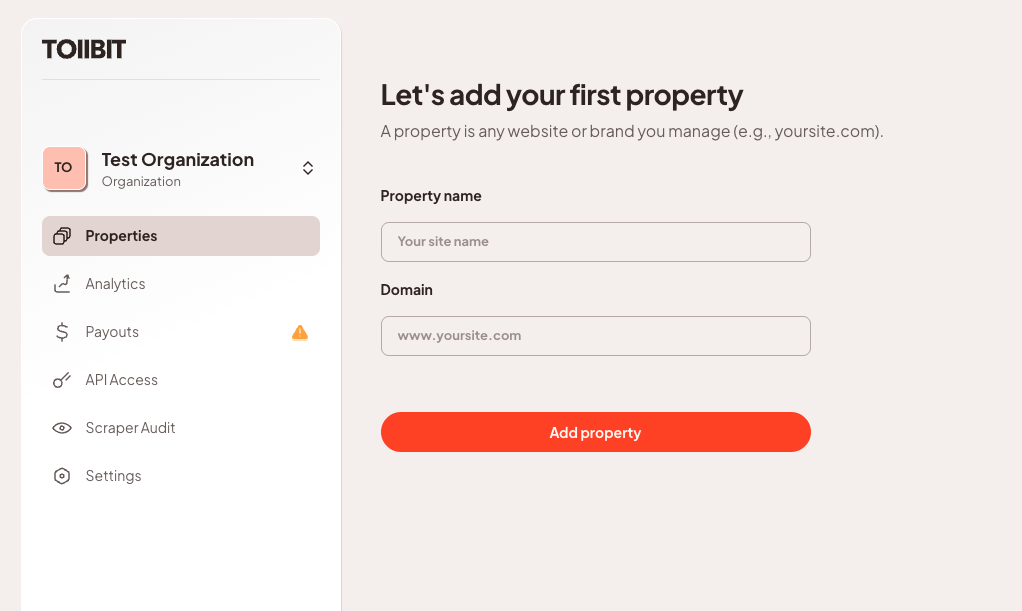
Once you've added your property, we will automatically fetch your sitemap through your robots.txt to determine your site's layout.
We recommend publishers maintain a
robots.txtfile and a sitemap that is kept up to date. However, this is not required to onboard onto TollBit.
Next Steps
After adding your property, you'll need to verify your property ownership before you can continue with your TollBit integration.
Updated 3 months ago